Forearm aching after a long day of typing is common. Learn the everyday reasons behind it, when it is simply muscle fatigue, and practical steps that help.
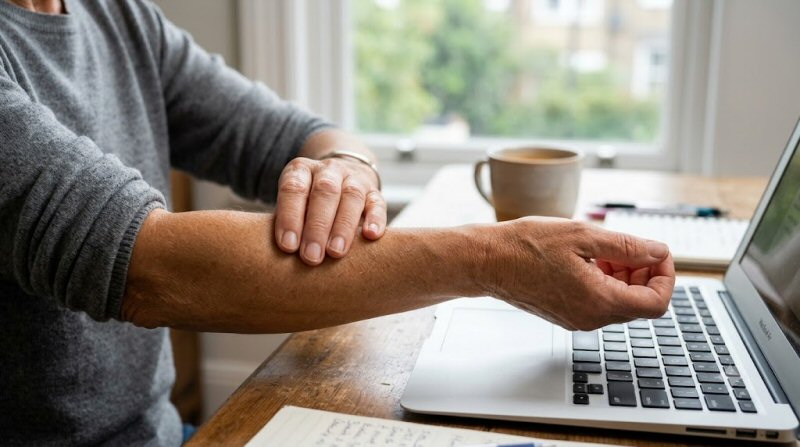
You finish a long stretch of emails or a dense document and notice a dull, heavy ache running along the tops or undersides of your forearms. The feeling is familiar to many people who type or use a mouse for hours. It is usually not a sign of serious damage. It is often the result of small, repeated demands that add up across a workday.
What This Symptom Feels Like
The ache is typically a deep, tired sensation rather than a sharp stab. It may sit along the outer forearm (the side that faces up when your palm is down) or the inner forearm. Some people also notice tightness that makes the muscles feel ropey, or a mild burning that eases when the hands are still. The discomfort often builds in the afternoon and can linger into the evening. Gripping a mug or turning a doorknob may feel slightly more effortful, but strength is usually preserved.
Common Causes
Most forearm aching after typing comes from sustained low-level muscle work and tendon loading rather than a single injury.
The wrist extensors on the top of the forearm must stay lightly active to stabilize the wrist while the fingers press keys. Each keystroke and mouse click requires this co-contraction. Over thousands of repetitions the small muscles and their tendons accumulate fatigue. Research on computer-related upper-limb strain notes that a full day of keyboard and mouse work can load the same extensor tendons involved in tennis elbow, particularly the extensor carpi radialis brevis.
Wrist position matters. When the keyboard sits too high or the wrists are bent upward for long periods, the extensors work harder. Unsupported forearms that hover above the desk also increase demand on the shoulder and elbow stabilizers, which can refer fatigue into the forearm. Mouse gripping adds a continuous low-force hold that keeps the flexor muscles on the underside of the forearm switched on.
Poor recovery time between sessions, limited overall movement, and shoulder or neck tension that shifts extra load downward can amplify the ache. Related patterns appear in people whose wrists ache after typing all day or whose hands cramp when writing.
Why This Happens
Human forearms evolved for varied gripping, twisting, and carrying rather than hours of fine, static finger work. The muscles that control the wrist and fingers are built for intermittent loads with rest between efforts. Continuous keyboard use asks those same muscles for prolonged low-level endurance they rarely needed in ancestral tasks.
When demand exceeds the local tissue capacity, metabolites build up, blood flow becomes less efficient, and the tendons at the elbow can become sensitive. Occupational health studies have shown that unsupported or awkwardly positioned forearms raise muscle activity in both the forearm and the upper trapezius. The result is the familiar end-of-day ache that usually settles with rest and better positioning.
Less Common but Serious Causes
True nerve compression, such as early carpal tunnel or cubital tunnel irritation, can produce forearm discomfort along with tingling or numbness in specific fingers. Tendon inflammation that progresses to tennis elbow or golfer’s elbow may cause sharper pain at the elbow that radiates into the forearm, especially with gripping. Rarely, referred pain from the neck or, in very uncommon cases, cardiac issues can appear in the arm; these almost always come with other clear warning signs.
Hidden Triggers
Small habits often tip the balance. Resting the full weight of the arms on a hard desk edge compresses soft tissue. A mouse that is too far away forces constant reaching. Cold rooms or air-conditioning can make muscles feel tighter. High caffeine intake and poor sleep reduce tissue recovery. Even a new, stiffer keyboard or a sudden increase in typing volume (deadline week) can produce the ache in someone who was previously comfortable.
When to Worry
Most forearm aching after typing improves within a day or two of lighter activity and better setup. See a clinician if you notice:
- Numbness, tingling, or weakness that spreads into the fingers and does not clear quickly
- Pain that wakes you at night or is present even at rest
- Swelling, redness, or warmth around the elbow or wrist
- Sudden severe pain after a specific movement or fall
- Symptoms that steadily worsen over weeks despite simple changes
If the ache is accompanied by chest pressure, shortness of breath, or left-sided arm pain that feels different from your usual typing fatigue, seek emergency care.
Myths vs Facts
Myth: Forearm pain from typing means you have permanently damaged your tendons.
Fact: Most cases are reversible overload. Reducing the load and gradually rebuilding endurance usually restores comfort.
Myth: Only people with “bad posture” get this ache.
Fact: Even well-aligned setups produce cumulative load across long hours. Breaks and strength matter as much as desk height.
Myth: You should rest completely until the pain vanishes.
Fact: Total rest can leave the tissues weaker. Short, gentle movement and progressive loading tend to help more than prolonged immobilization.
How to Manage It
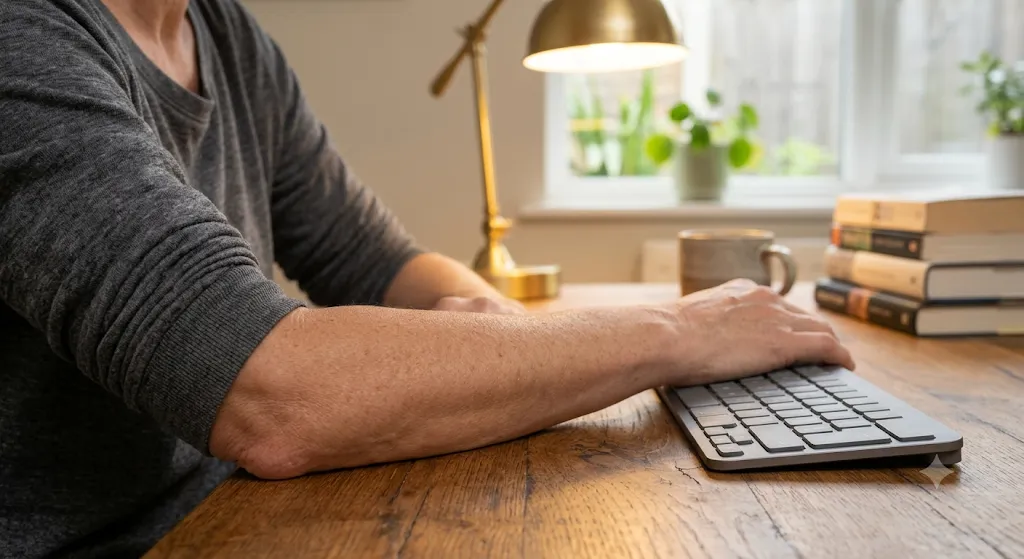
Start with simple adjustments. Keep the keyboard at a height that lets your wrists stay roughly neutral—forearms roughly parallel to the floor, elbows near 90 degrees. Support the forearms lightly so they are not hovering or pressed hard against a sharp edge. Move the mouse closer so the shoulder does not reach.
Take micro-breaks every 20–30 minutes: stand, shake the hands, or gently open and close the fingers. Alternate tasks when possible so the same small muscles are not the only ones working.
For immediate relief, a short cold pack on the outer forearm after a heavy session can calm irritation. Gentle forearm stretches—wrist extension and flexion held for 20–30 seconds—often ease tightness. Over time, light strengthening of the wrist extensors and flexors (for example, slow wrist curls with a light weight or resistance band) improves capacity so the same typing load feels easier. The same principle appears in explanations of why forearms still expect twist and grip and why elbows still expect occasional hanging and carrying.
When to See a Doctor
Book a routine appointment if the ache persists beyond a couple of weeks of improved ergonomics and breaks, or if you develop clear nerve symptoms. A clinician can check for tendon sensitivity at the elbow, rule out nerve compression, and guide specific exercises. Physical therapists who work with computer users often focus on load management and gradual strengthening rather than passive treatments alone.
FAQs
Why do my forearms hurt more on the outside than the inside?
The outer forearm contains the wrist extensors that stabilize the hand during every keystroke. They often fatigue first.
Is this the same as tennis elbow?
It can be an early form of the same overload. Tennis elbow is simply irritation of the extensor tendons at the outer elbow; typing is a common modern trigger.
Will a wrist rest fix it?
A soft wrist rest can help some people keep a neutral position, but the bigger factors are overall keyboard height, forearm support, and regular breaks.
Should I stop typing completely?
Usually not. Reducing intensity, improving setup, and adding short recovery periods works better for most people than total avoidance.
Can strengthening exercises make it worse?
Aggressive loading while the tissues are highly irritable can flare symptoms. Start very light and progress only when the daily ache is settling.
Conclusion
An aching forearm after a long day of typing is a common signal that the small muscles and tendons have done more low-level work than they are currently conditioned for. In most cases it reflects ordinary cumulative load rather than injury. Adjusting desk height, supporting the arms, taking frequent brief breaks, and gradually building forearm endurance usually restores comfort. If numbness, night pain, or progressive weakness appears, a medical check is worthwhile. For the everyday version, the body is simply asking for a little more variety and recovery in a modern workday built around continuous fine finger work.