Yes, mild wrist ache after long typing sessions is common and usually comes from sustained posture, tendon fatigue, and reduced movement. Learn the everyday causes, simple fixes, and clear signs that need attention.
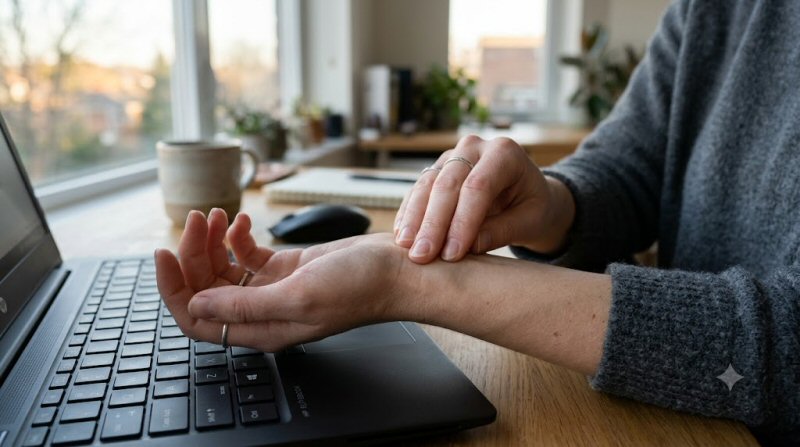
You finish a long stretch of emails, reports, or messages and notice a dull ache across the tops of your wrists or along the sides. It feels tight, a little sore, and sometimes stiff when you try to bend or straighten them. For most people this is an ordinary response to hours of the same small movements in a fixed position, not a sign that something is broken.
What This Symptom Feels Like
The ache is usually a low-grade, diffuse soreness rather than a sharp stab. It often sits on the back of the wrist, along the forearm tendons, or at the base of the thumb. Some people describe a heavy or fatigued feeling that eases once they stop typing and move their hands. Stiffness can appear after the session, especially if the wrists stayed slightly bent or extended for hours. The discomfort tends to improve with rest, gentle movement, or a warm shower, and it rarely wakes you at night in its mild form.
Common Causes
Sustained keyboard and mouse use keeps the wrist in a narrow range of positions while the finger flexors and extensors work continuously. This loads the tendons that cross the wrist joint and the small muscles of the forearm. When the work surface is too high or too low, or the chair is not adjusted, the wrists often drift into extension (bent backward) or ulnar deviation (angled toward the little finger). Both positions increase pressure on the soft tissues.
Cold rooms, dehydration, and lack of breaks make the same load feel worse because blood flow and tissue pliability drop. People who type with high force—pounding the keys or gripping the mouse tightly—add extra strain. Related everyday patterns, such as looking down at a phone for long periods, can tighten the neck and upper back and change how the arms hang, which indirectly loads the wrists. For a closer look at how desk days affect the shoulders, see our article on shoulder ache after a desk day.
Why This Happens
Human wrists and hands evolved for varied grips, carrying, climbing, and tool use that mixed loading with frequent position changes. Modern typing asks for thousands of small, precise finger movements while the wrist stays relatively still. The tendons that run through the carpal tunnel and along the dorsal wrist experience repeated low-level tension without the recovery that comes from larger, intermittent tasks.
Researchers who study occupational biomechanics, including work by David Rempel and colleagues on keyboard posture, have shown that even modest wrist extension raises pressure inside the carpal tunnel and increases tendon friction. Over a full day the cumulative load produces ordinary muscle and tendon fatigue. The same tissues also receive less varied blood flow when the arm stays still. This is why the ache often feels better after a short walk or after simply letting the arms hang. Our piece on why your wrists still expect a neutral hang explains the mismatch in more detail.
Less Common but Serious Causes
Most post-typing wrist ache is mechanical and temporary. Less often it signals irritation of the median nerve (carpal tunnel syndrome), tendon sheath inflammation (tenosynovitis), or early osteoarthritis in people who already have joint changes. A ganglion cyst or a previous wrist sprain can also become more noticeable after prolonged use. These conditions usually bring additional features such as true numbness, night waking, or visible swelling rather than simple end-of-day soreness.
Hidden Triggers
Several factors amplify the ordinary load:
- Keyboard or mouse height that forces the wrists upward
- Chair armrests that are too low or too high, so the shoulders shrug or the wrists bend
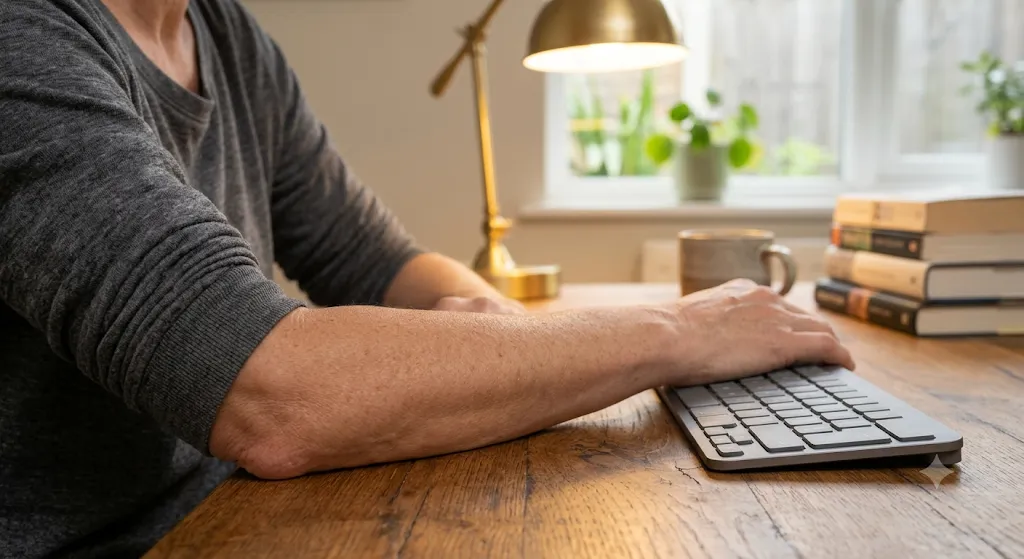
- Typing with the wrists resting on a hard edge
- High key-strike force or a heavy mouse grip
- Cold ambient temperature or air blowing directly on the hands
- Skipping movement breaks for several hours
- Recent increase in typing volume (deadline weeks, new remote job)
- Concurrent phone scrolling that keeps the thumbs and wrists in flexion
Cold hands while typing can make the same session feel more fatiguing; the article on cold hands while typing covers that related pattern.
When to Worry
Mild ache that appears only after long sessions and fades with rest is usually benign. Pay attention if you notice:
- Numbness or tingling in the thumb, index, or middle finger that persists after you stop
- Weakness when pinching or gripping, or objects slipping from your hand
- Pain that wakes you at night or is present first thing in the morning
- Visible swelling, redness, or warmth around the wrist
- Symptoms that continue to worsen over days even when you reduce typing
- Pain that shoots up the forearm or is accompanied by neck pain and arm weakness
These features warrant a clinical check rather than continued self-management.
Myths vs Facts
Myth: Wrist ache after typing always means carpal tunnel syndrome.
Fact: Most end-of-day soreness is simple tendon and muscle fatigue from sustained posture. True carpal tunnel usually includes numbness, night symptoms, and progressive weakness.
Myth: You must wear a rigid brace all day to protect your wrists.
Fact: Continuous rigid bracing can weaken muscles and is rarely needed for ordinary ache. Short-term night splints or activity modification are more useful when symptoms are clear.
Myth: Only people who type “incorrectly” get this.
Fact: Even well-adjusted setups produce fatigue when the same motion continues for hours without breaks. Volume and recovery matter as much as posture.
How to Manage
Small changes usually reduce the ache within a few days:
- Lower or raise the keyboard so the wrists stay roughly neutral (straight) while typing. Elbows should rest near 90 degrees.
- Take a 30–60 second movement break every 25–30 minutes: shake the hands, gently bend and straighten the wrists, and let the arms hang.
- Reduce key-strike force; most modern keyboards register a light touch.
- Keep the room comfortably warm and avoid direct cold drafts on the hands.
- Alternate mouse hands or switch to keyboard shortcuts to vary the load.
- After the workday, a few minutes of gentle wrist circles and forearm stretches (palm up and palm down) help restore range.
- A short walk or light carrying task later in the day gives the tissues the varied loading they expect.
If the ache is already present, ice for 10 minutes after a long session or a warm compress in the evening can ease the feeling while you adjust the setup.
When to See a Doctor
See a clinician if the ache lasts more than a week despite breaks and posture changes, if numbness or weakness appears, or if night pain develops. Early assessment can distinguish simple overuse from nerve or tendon irritation and prevent a longer recovery. Most people improve with ergonomic adjustments and temporary activity changes; surgery is uncommon for straightforward typing-related soreness.
FAQs
Is it normal for both wrists to ache equally after typing?
Yes. Bilateral, symmetric soreness that tracks with work hours is typical of postural and tendon fatigue. One-sided pain that includes numbness deserves a closer look.
Will a gel wrist rest prevent the ache?
A soft rest can help if it keeps the wrist neutral, but pressing the wrist into a hard edge can increase pressure. Many people do better with no rest and a properly height-adjusted keyboard.
Does this mean I will develop arthritis?
Ordinary post-typing ache does not cause arthritis. Long-term joint changes are more related to age, prior injury, or systemic conditions than to keyboard use alone.
How long should I rest if my wrists already ache?
Reduce continuous typing for 1–2 days while you fix the setup, then resume with frequent short breaks. Complete avoidance is rarely necessary and can make return-to-work harder.
Can strengthening exercises help?
Light forearm and grip work performed on non-typing days can improve endurance, but aggressive strengthening while the tissues are already sore often increases symptoms. Start only after the daily ache has settled.
Is it worse in cold offices?
Yes. Cooler temperatures reduce tissue elasticity and blood flow, so the same typing load feels more fatiguing. A warmer room or light gloves during breaks often helps.
Conclusion
A mild wrist ache after a full day of typing is a common, reversible response to sustained small movements and limited position change. Adjusting keyboard height, adding brief movement breaks, and giving the hands varied tasks later in the day usually settles the discomfort. Persistent numbness, night pain, or weakness are the signals that move the problem out of the ordinary category and into one that benefits from professional assessment. For most people, the wrists simply need the recovery and variety they were built to receive.